Systems thinking · Data insights · B2B2C
Visualizing Success
Helping customers make sense of their survey results 4x faster by delivering a responses table.

Executive Summary
I led the design from concept to execution
Duration
3 months
Team
Cross-functional
Domain
B2B2C
Also on the team
- Product Manager
- Tech Lead Engineer
- 3 Engineers
Outcomes
increase in customer engagement with their results
The Problem
Customers could not easily access their data
While surveys were still live, customers couldn't review their incoming responses. For photo and video tasks, they wanted insights before collection finished.
Customers were frustrated by...
- •slow exporting to see survey responses.
- •the slow performance and cumbersome UX of viewing submissions.
- •always seeing demographic information since it did not matter to their use cases.
- •not being able to filter by responses to segment their results.
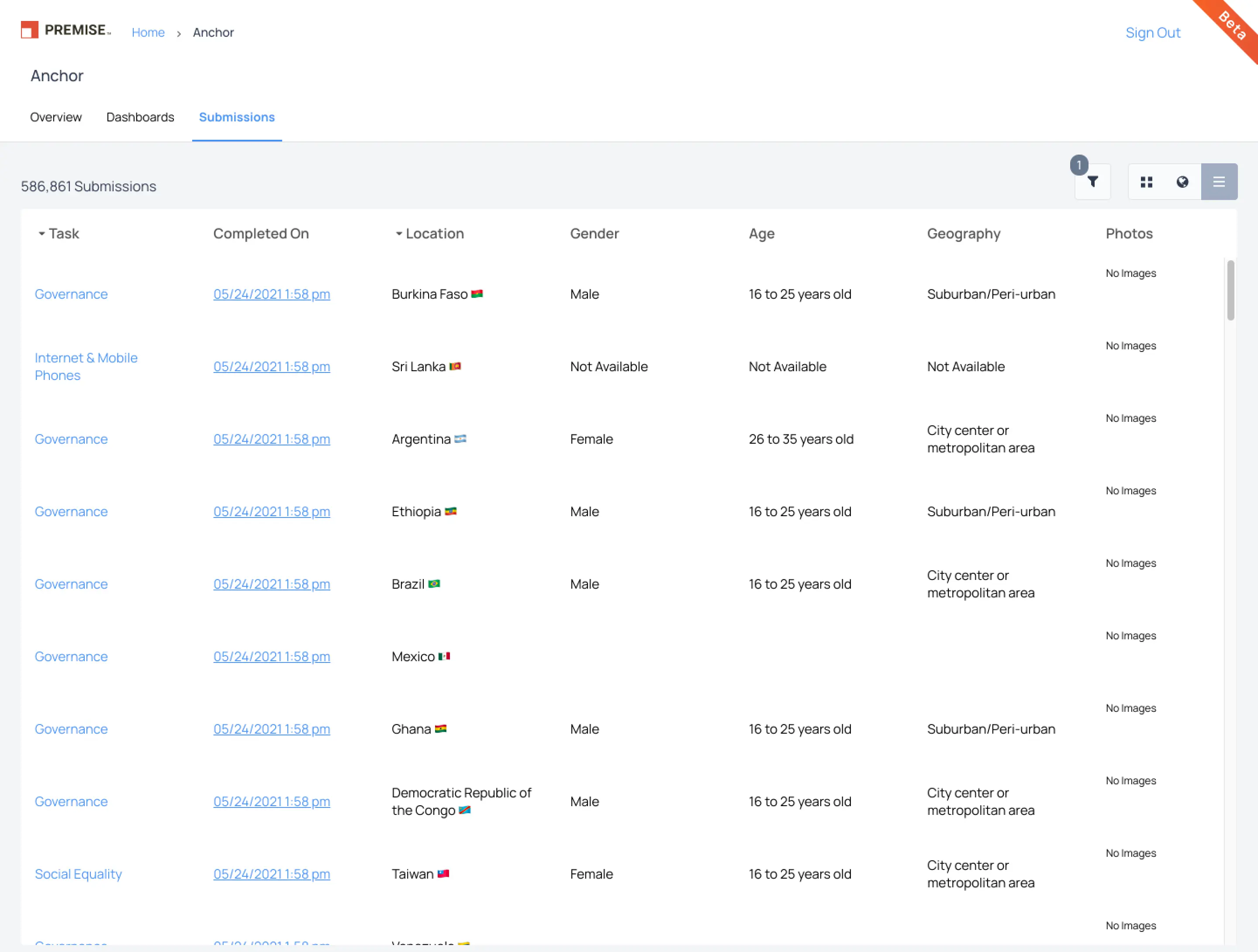
Here's what the submission table looked like before the project--it didn't display individual question responses.
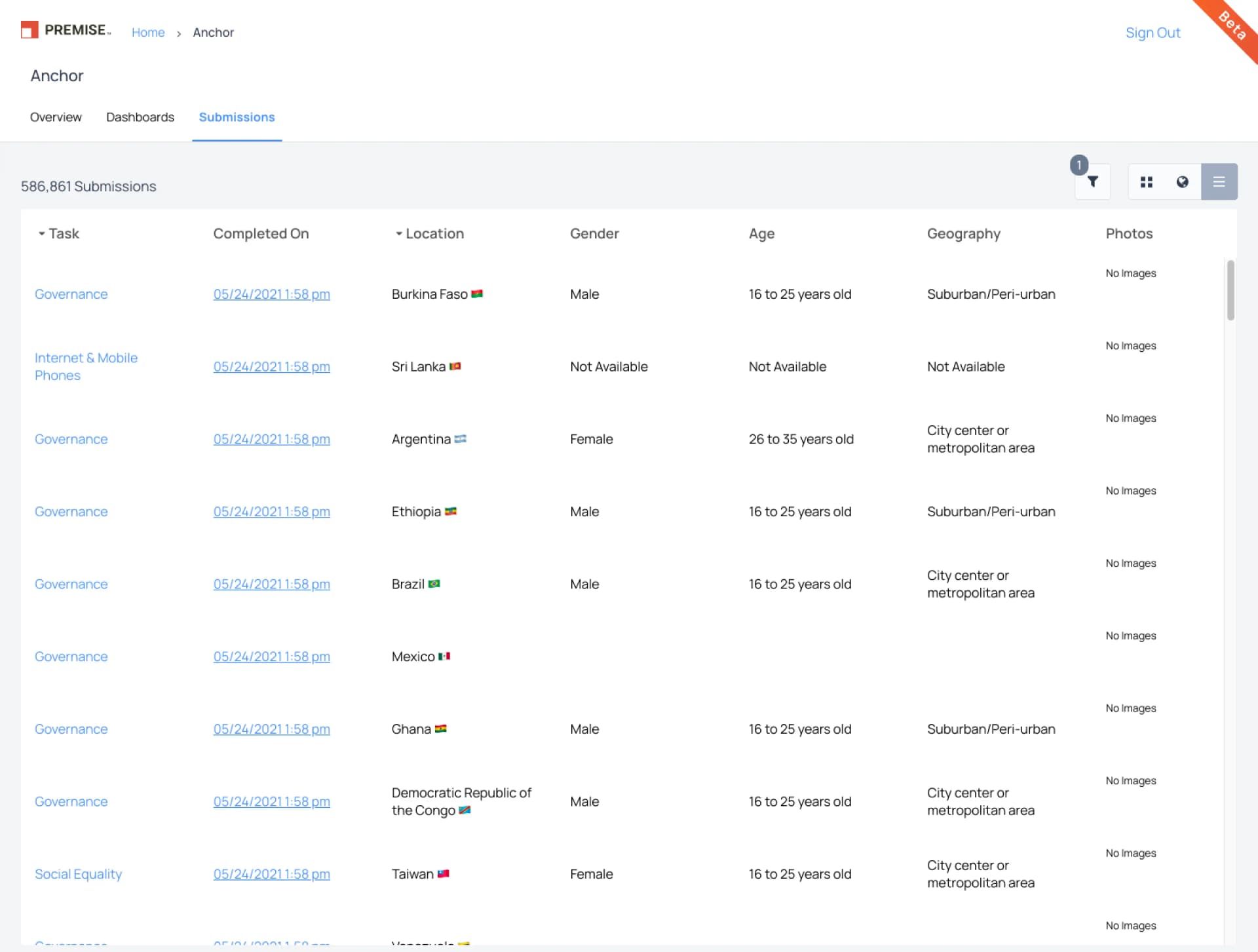
Clicking on a submission displayed the individual responses, but it was confusing when data was missing. It was unclear whether the absence was due to conditional logic or a skipped question.
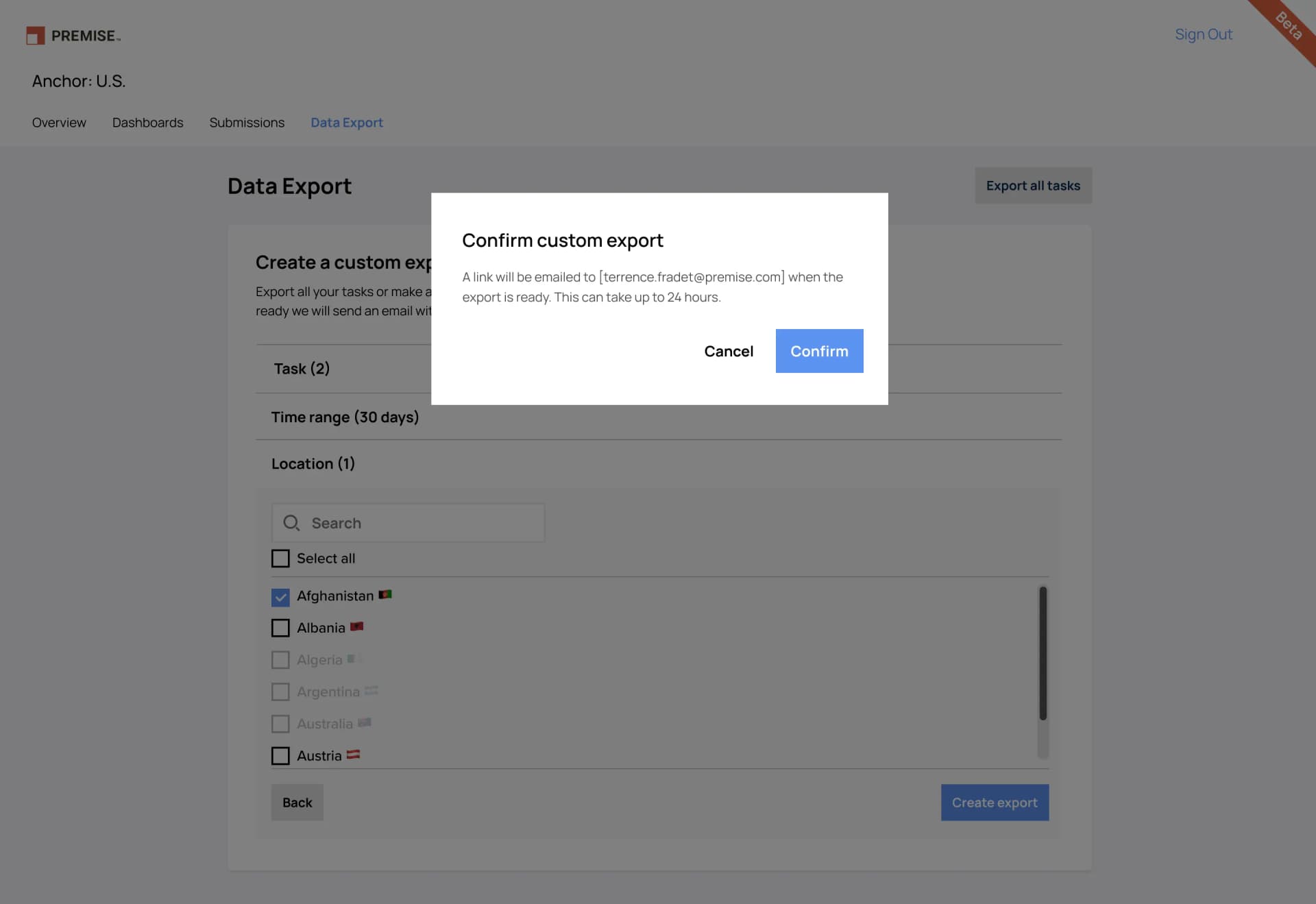
Exporting required a multi-step workflow and up to 24 hours to receive results. Multiple CSV files arrived due to collecting from multiple form versions, which confused customers.
How might we help customers see their results?
The Redesign
Introducing the Submission Response Viewer
Just show me the data
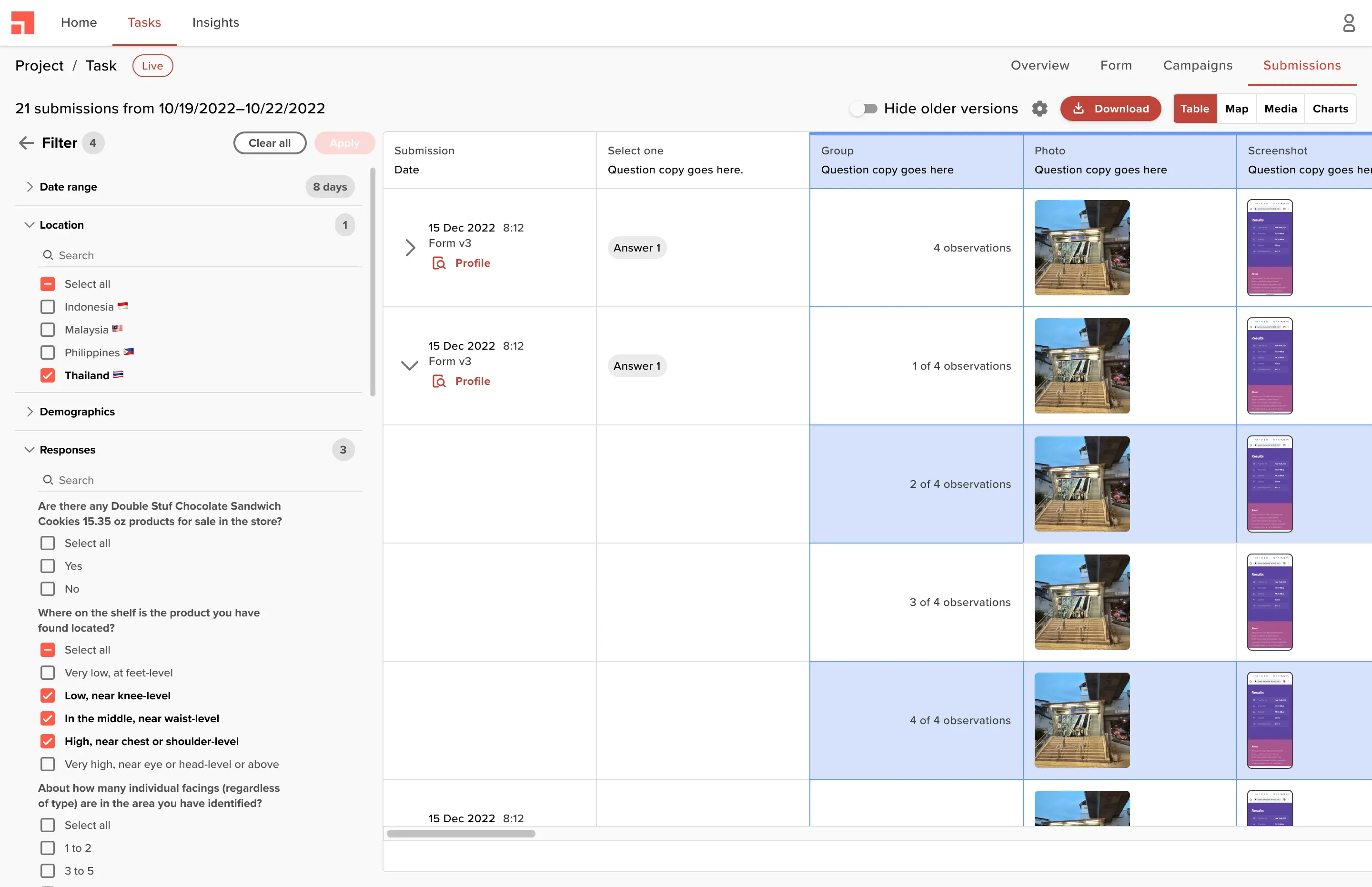
Customers wanted quick access to submission-level data, and that's exactly what I built. Behind the scenes, we handled nested observations and multiple form versions. Customers could also configure which columns to display.
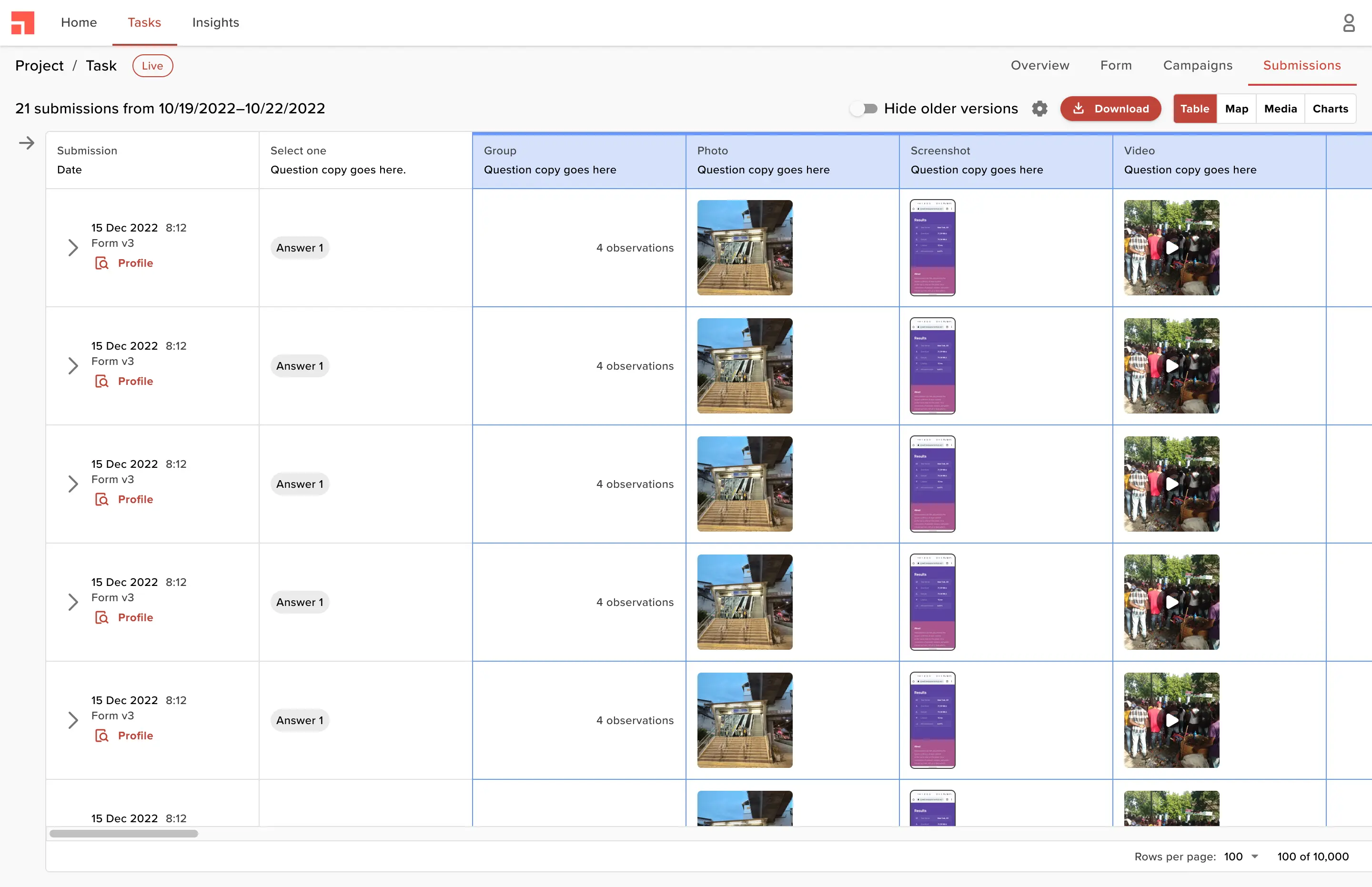
Filter and export
Previously, customers exported data through a cumbersome wizard. Now they can filter and preview thousands of submissions in real-time, with clarity on what they are exporting.
Templated visualizations
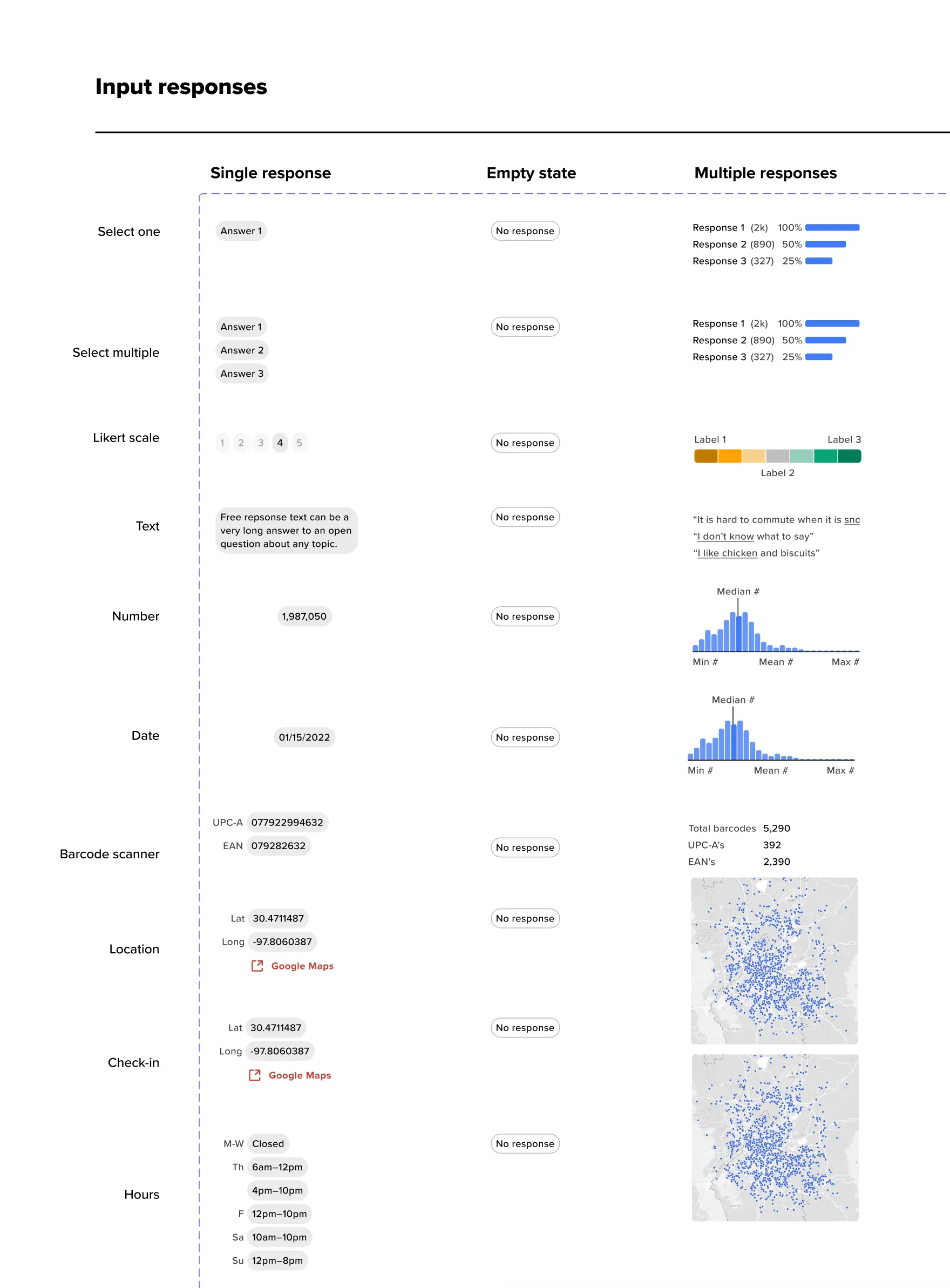
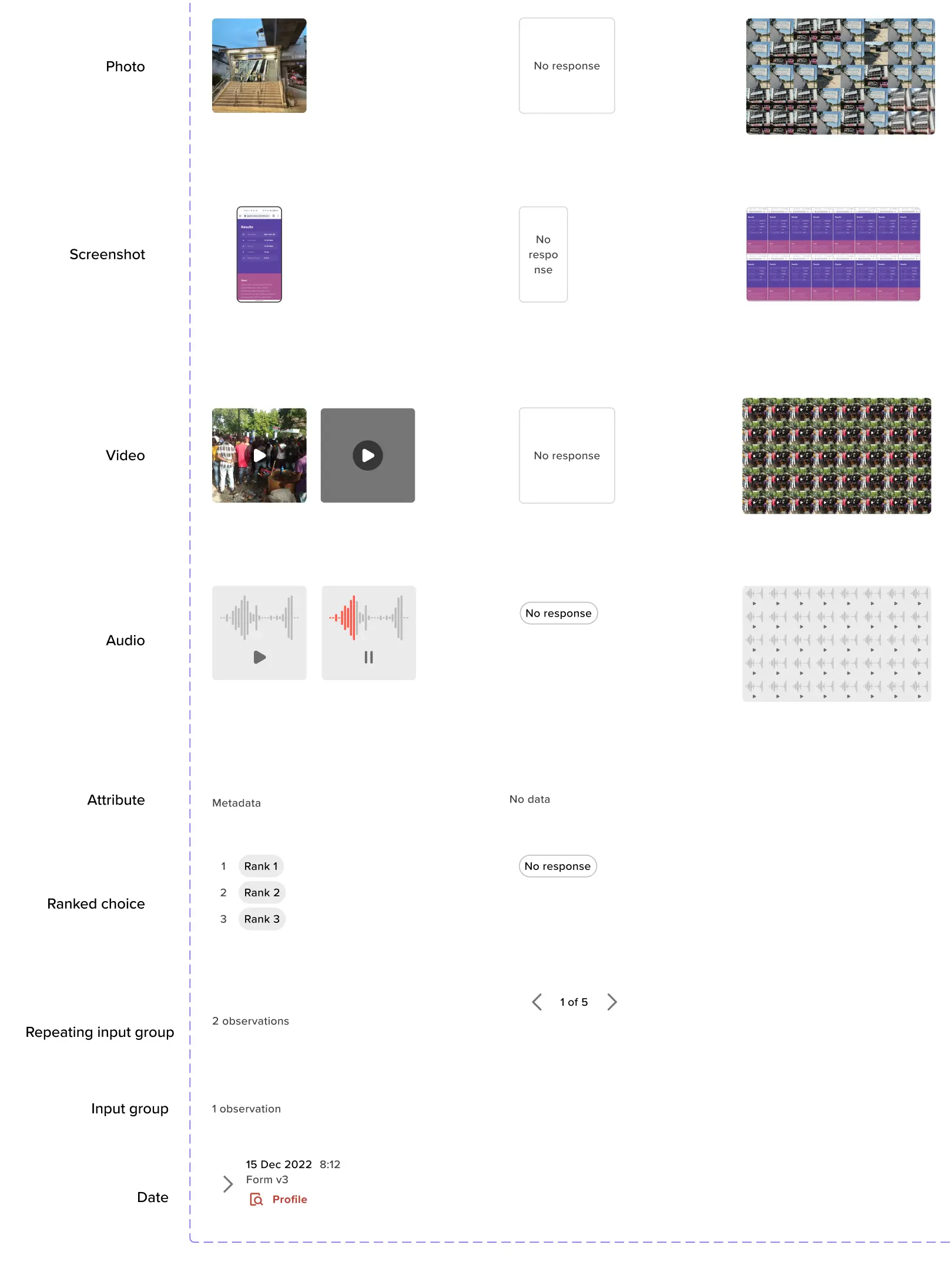
I paired each input type with a visualization that could appear across different parts of the product, then tested a variant to summarize multiple responses at once.
The Impact
increase in customer engagement
Customers engaged with their results more frequently and for longer within the platform, reducing dependency on CSV exports.
Want to see more?
Get in touch with me to see my in-depth case studies.