Internal tooling · Systems thinking · Prototyping
The Right Tool for the Job
Helping internal users do their job 8x more efficiently

Executive Summary
I led the design from concept to execution
Duration
4 months
Team
Cross-functional
Domain
Internal tooling
Also on the team
- Director of Product Management
- Tech Lead
- 3 Engineers
Outcomes
reduction in ops time
saved per person per week
The Problem
Operations was spending countless hours in spreadsheets
The company had a form builder and campaign manager, but teams had moved to spreadsheets for cases the tools couldn't handle. Those spreadsheets made consequential mistakes easy.
Where do we start?
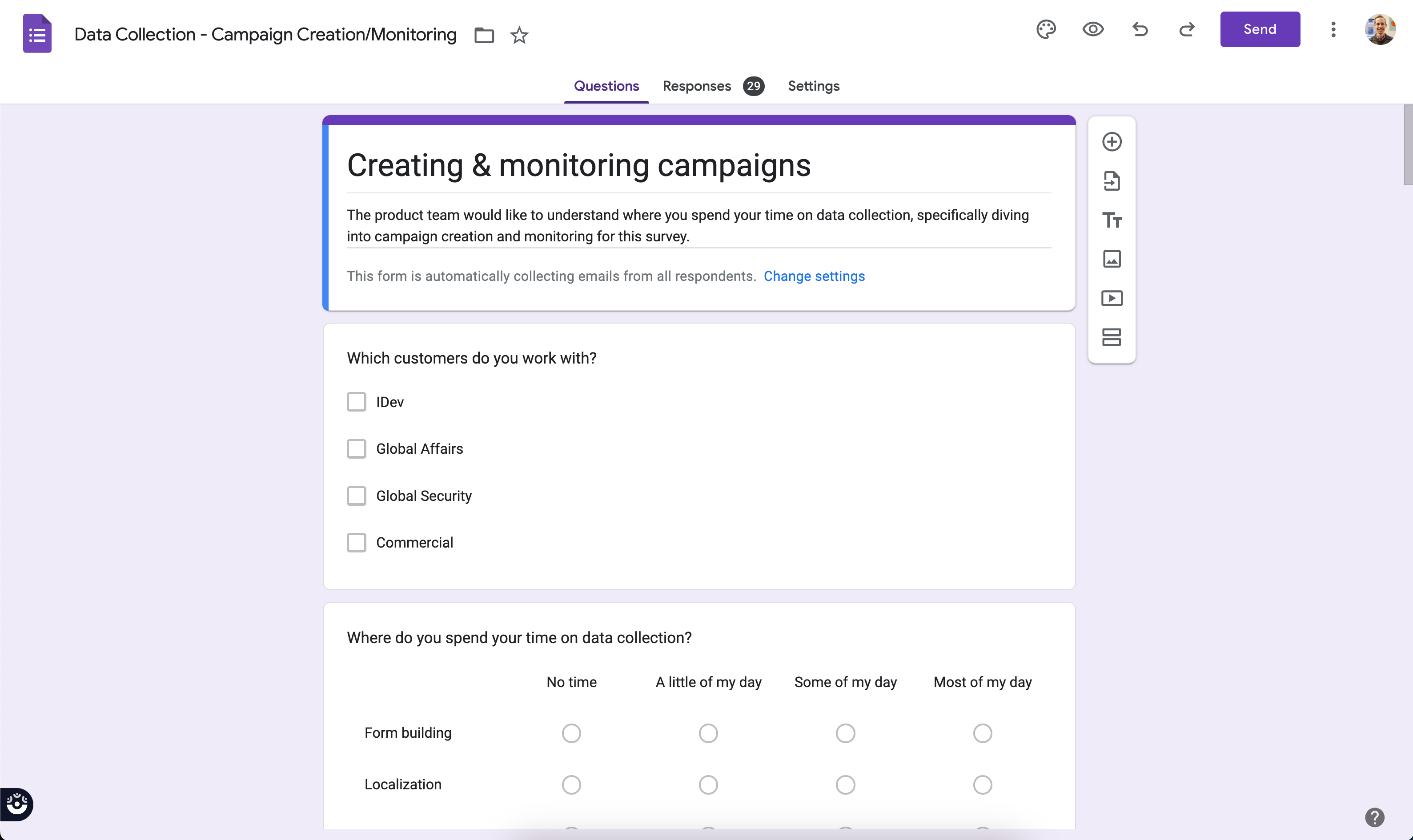
I surveyed campaign managers to understand where they spent the most time. Sentiment surveys required the most effort and represented the majority of the business, so we started there.
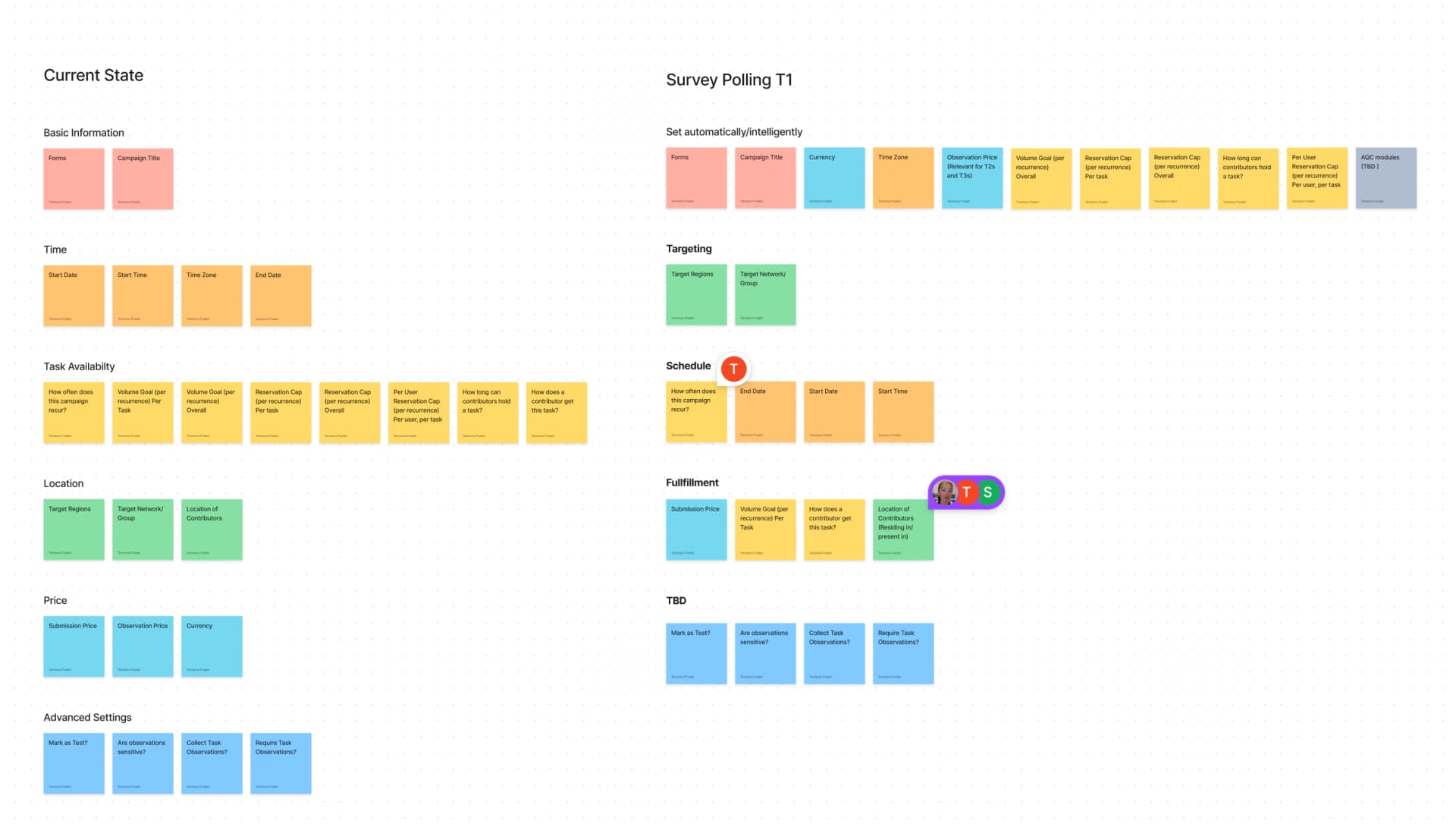
Simplifying for surveys
We cut the campaign creation process to only the inputs surveys needed.
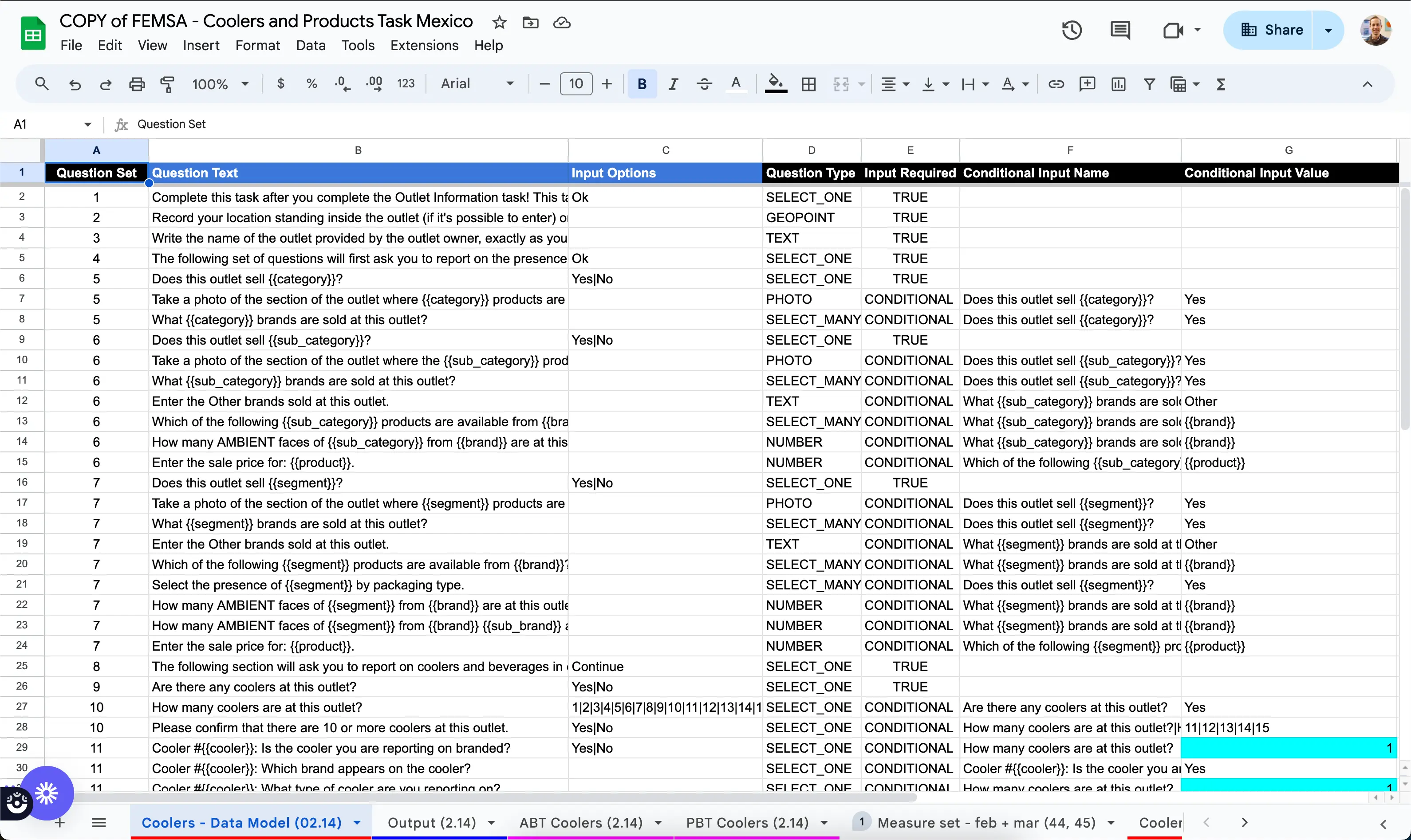
Forms required constant rework
- •They rewrite similar questions repeatedly because they can't reference previous surveys.
- •If a form requires templating they use Google Sheets.
- •Input groups cannot be nested in Input groups and this limitation leads to many work arounds.
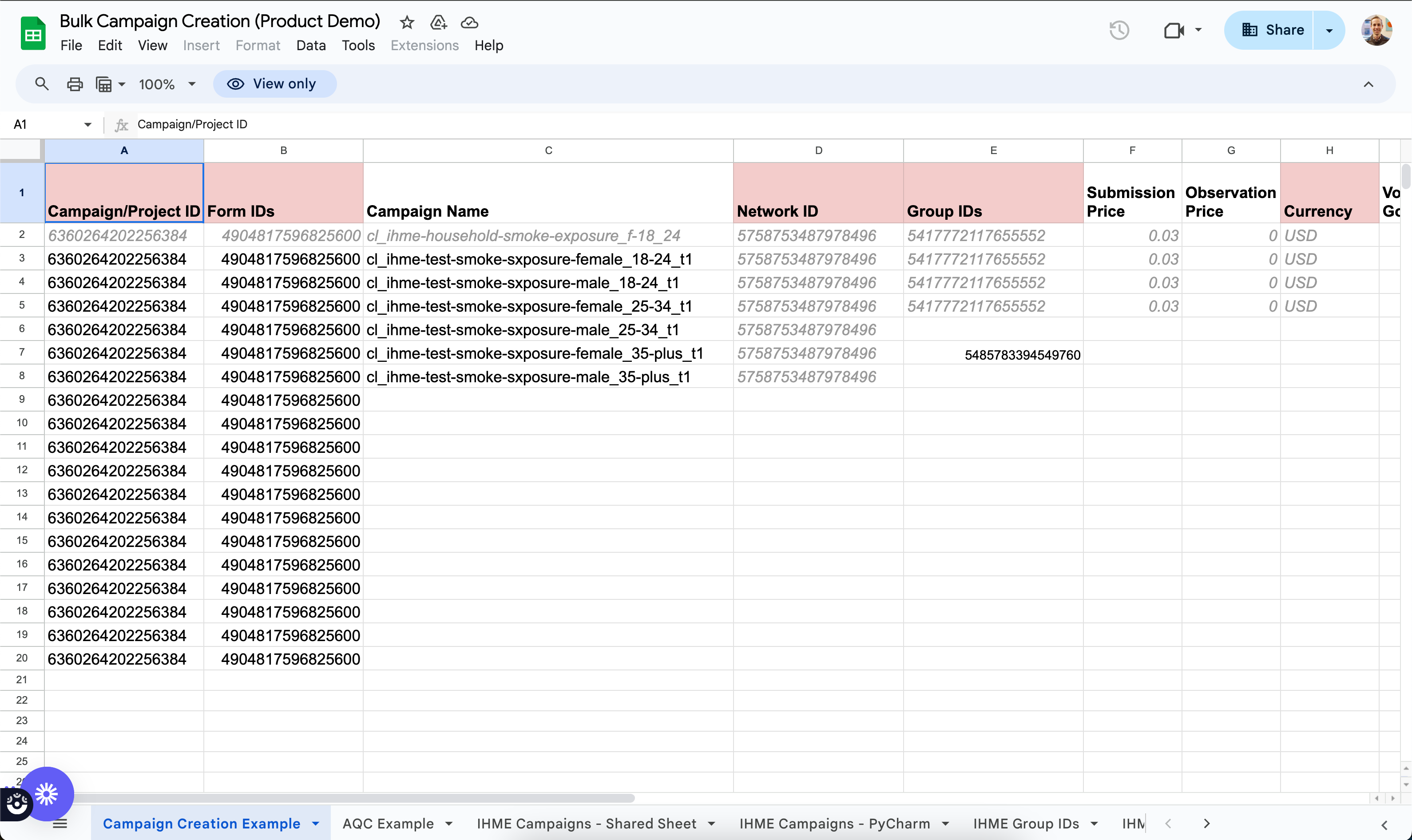
Campaigns needed bulk operations
- •Creating 50–100 campaigns across age and gender consumed hours of manual work.
- •Reaching representative targets meant manually converting currencies and updating targets across each campaign.
- •Campaign configuration settings for Tasks was confusing, but they got used to it once they read internal documentation.
Reduction in ops time spent managing surveys
About 10 hours per week savings per person
The Solutions
Purpose-built tools for campaigns and forms
Campaign updates
I started with campaign updates—high impact, low cost. A 10% increase across all campaigns meant manual currency conversions repeated dozens of times.
Bulk campaign creation for surveys
Next we tackled bulk campaign creation for surveys. The use case required collecting representative samples primarily across age and gender.
Form creation
Moving form creation into the customer product lets customers build their own forms without operations support.
Form creation workflow demonstration.
Collaborating with customers
Customers needed to review and approve forms before launch. We gave them view-only access to the form builder with mobile preview and localization support.
View-only form builder enabling collaboration between internal teams and customers.
Learnings
Surveys and tasks are fundamentally different problems
This project revealed a broader truth about product strategy: sometimes shared tooling creates more friction than it solves. What started as "fix the form builder" became "rethink how we serve two distinct use cases."
Here's what we learned about when workflows should diverge:
| Requirement | Surveys | Tasks |
|---|---|---|
| Representative sample | ✓ People | ✓ Places, Products |
| Audience targeting (e.g. Pet Owners) | ✓ | ✕ |
| Multi-language support | ✓ | ✕ |
| Dynamic form creation | ✕ | ✓ |
| Conditional & branching logic | ✓ | ✓ |
| Templated questions | ✓ | ✓ |
Want to see more?
Get in touch with me to see my in-depth case studies.