iOS App · Full-stack
The Weather App That Tells the Truth
Designed, built, and shipped a full-stack iOS weather app from prototype to App Store in 6 weeks.
Executive Summary · Live on the App Store
From idea to App Store in 6 weeks
I conceived, designed, and shipped LucidSky in 6 weeks. Every layer was mine: product strategy, UX design, full-stack engineering, App Store submission, and ongoing operations.
The original prototype was called ClearCast, a proof of concept to test whether forecast uncertainty felt useful. It did. Six weeks later it was on the App Store as LucidSky.
Finding the Idea
What Reddit research surfaced
- •A post about weather warnings behind paywalls got 1,148 upvotes
- •Apple killed Dark Sky in 2023 and millions of users are still looking for a replacement
- •The NWS publishes the best forecasts in the country, including uncertainty reasoning, but has no app and terrible mobile UX
- •No consumer weather app shows forecast confidence. Every app commits false precision.
- •Large language models (LLMs) can now translate technical forecast discussions into plain language at near-zero cost
The Problem
Weather apps lie. Not with wrong numbers, but with false confidence.
Forecasts produce ranges, not single numbers. That “72°” might span 65° to 79°. Meteorologists know this and write about it daily in National Weather Service (NWS) forecast discussions. No consumer app was surfacing any of it.
How might we show what forecasters actually see?
The Solution
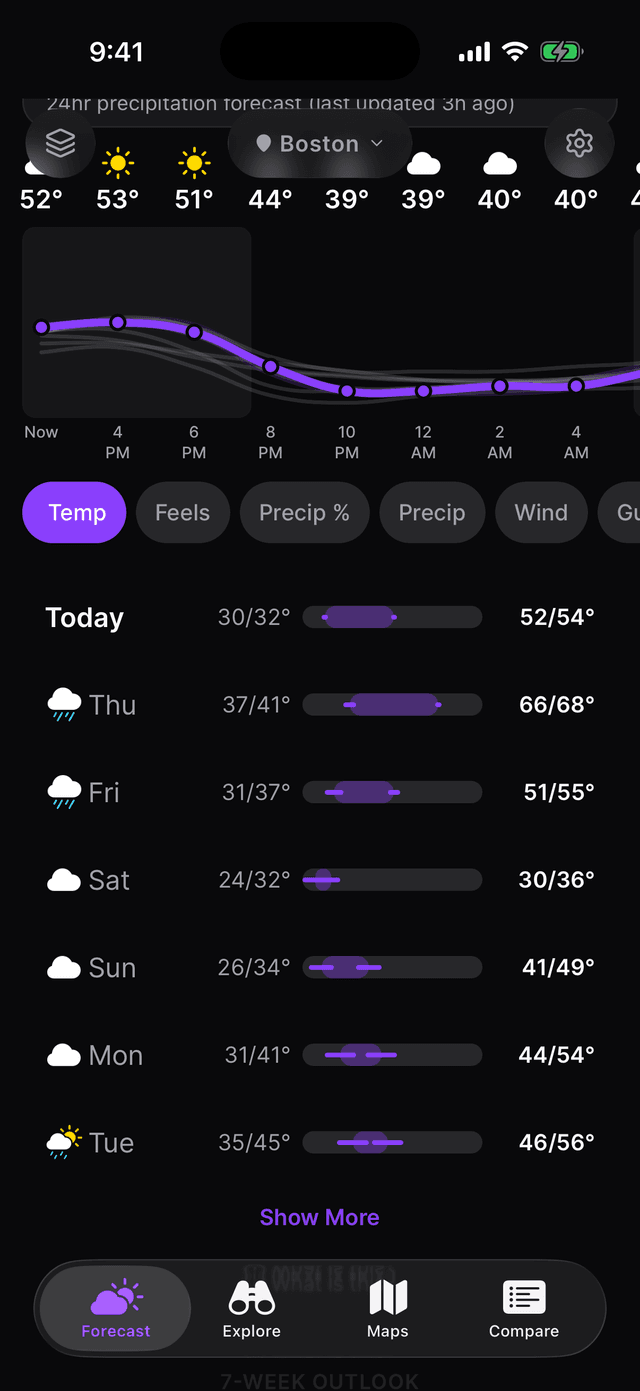
See the range, not just the number
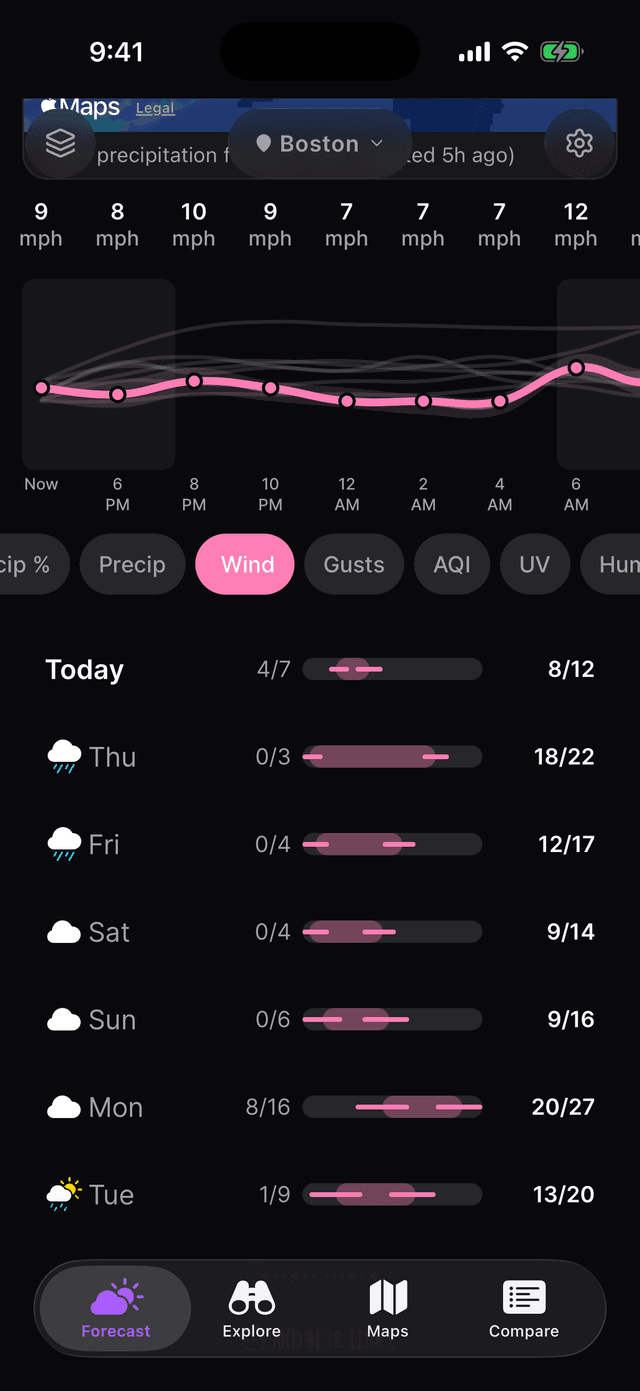
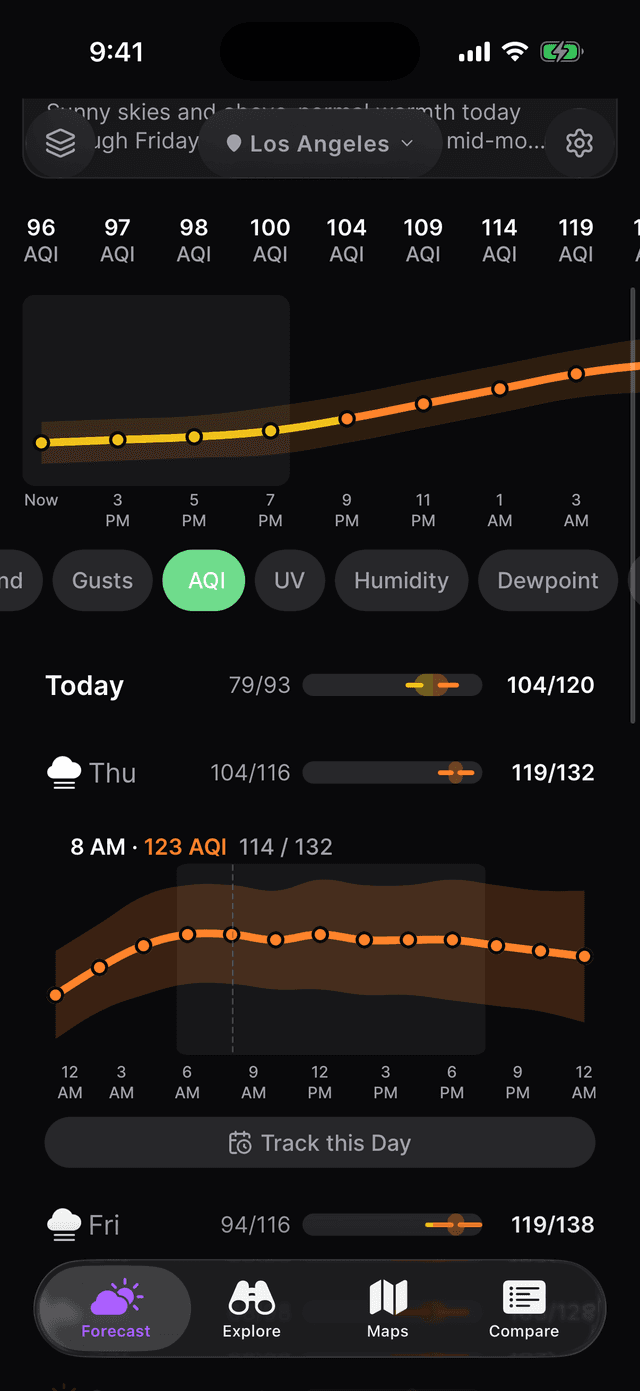
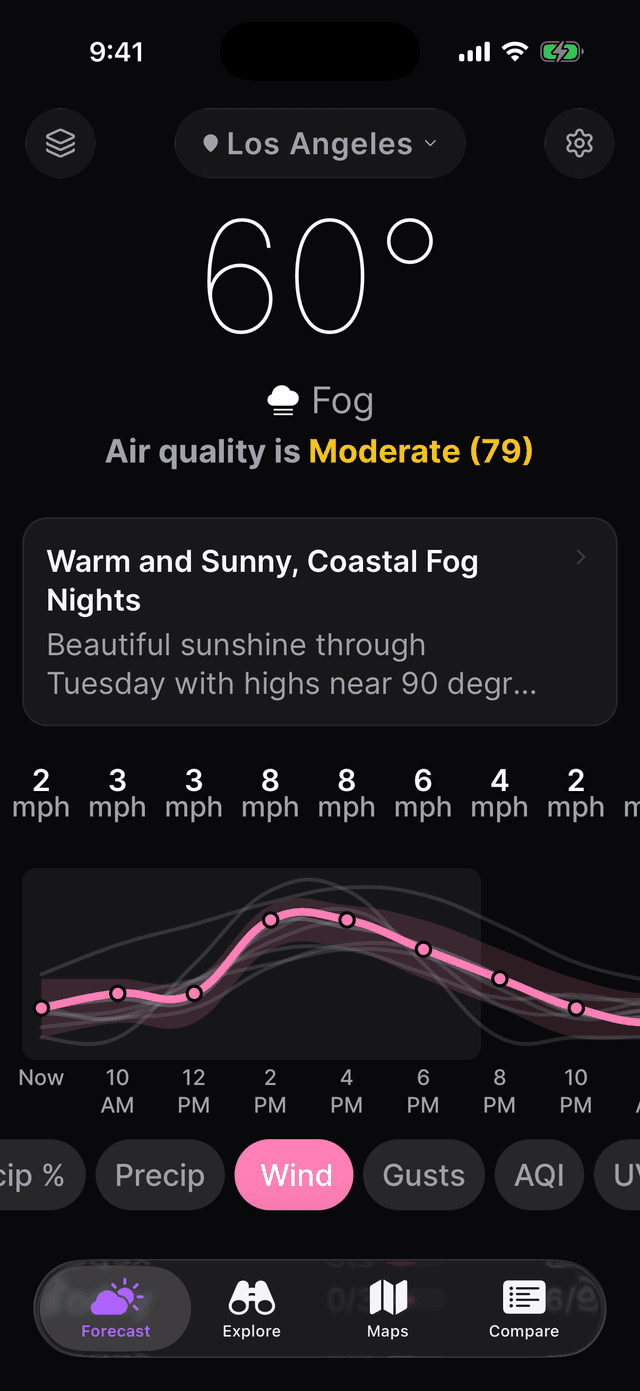
In Honest Mode, every forecast shows the actual range of possible outcomes. Tomorrow's high might be 42–44°. Five days out, it widens to 28–50°. That spread isn't a bug. It's the forecast telling you when to plan confidently and when to leave wiggle room.
Prefer a clean look? Classic Mode is always one tap away. LucidSky doesn't force transparency on you. It just makes it available.
What your meteorologist actually thinks
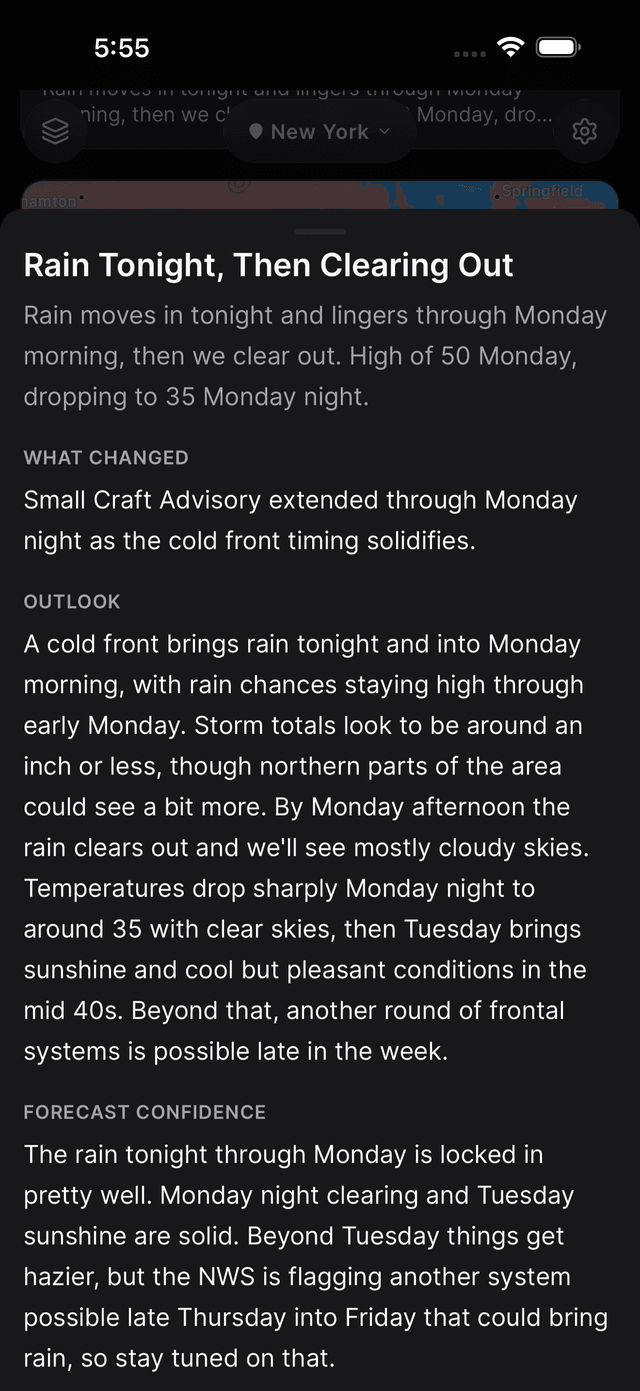
The NWS publishes forecast discussions several times a day. LucidSky uses Claude AI to translate them into plain-language summaries: What Changed, Outlook, and Forecast Confidence.
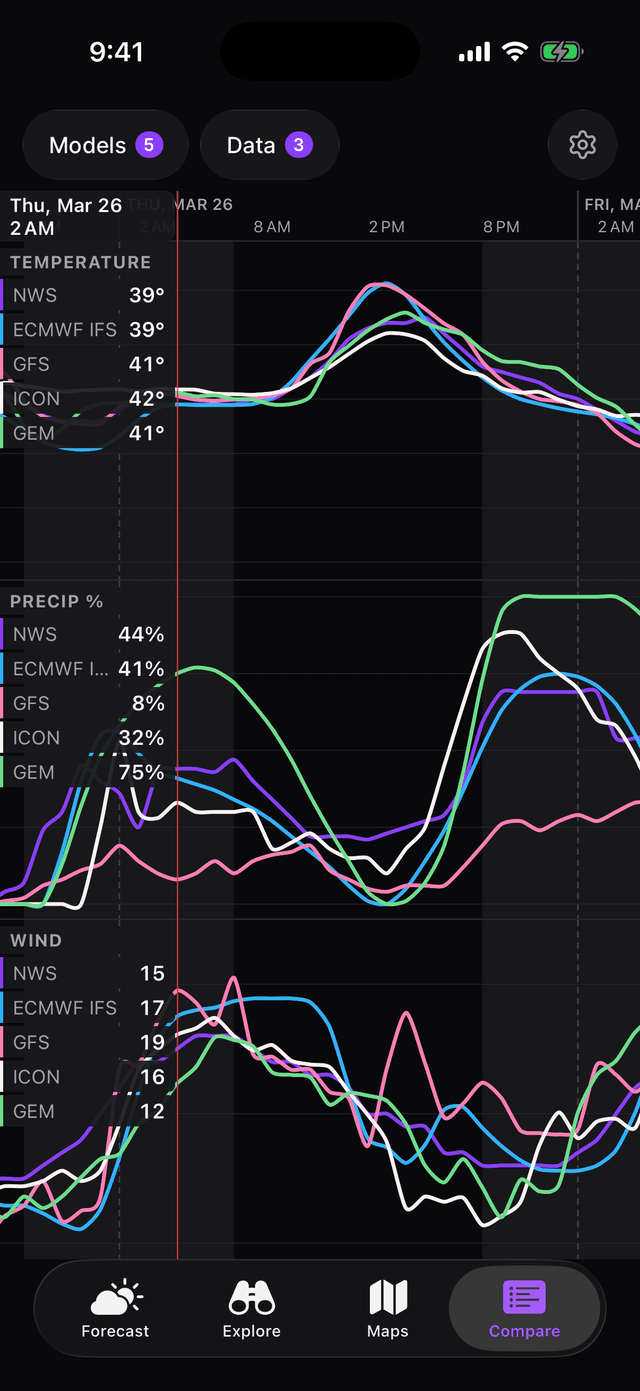
See where 9+ models agree. And where they don't.
When the major models—ECMWF (European), GFS (American), and HRRR (hourly)—agree, plan with confidence. When they diverge, bring a backup plan. The Compare tab shows all models side by side.
Watch it move in real time
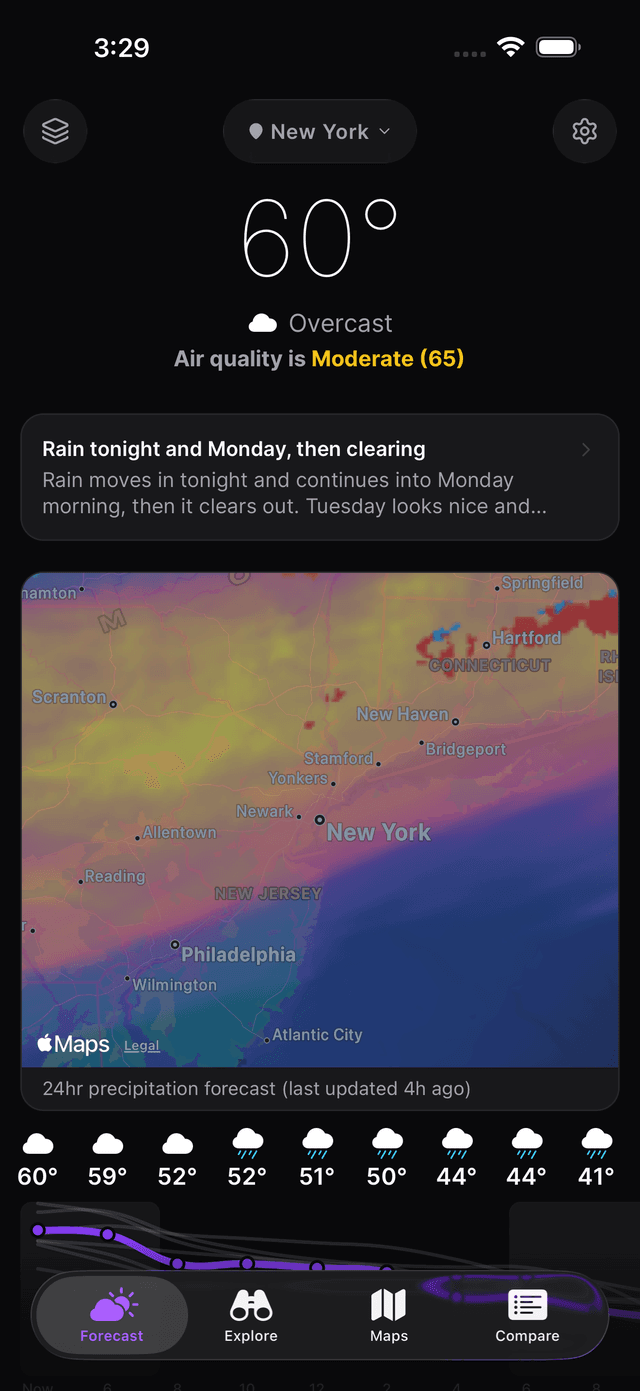
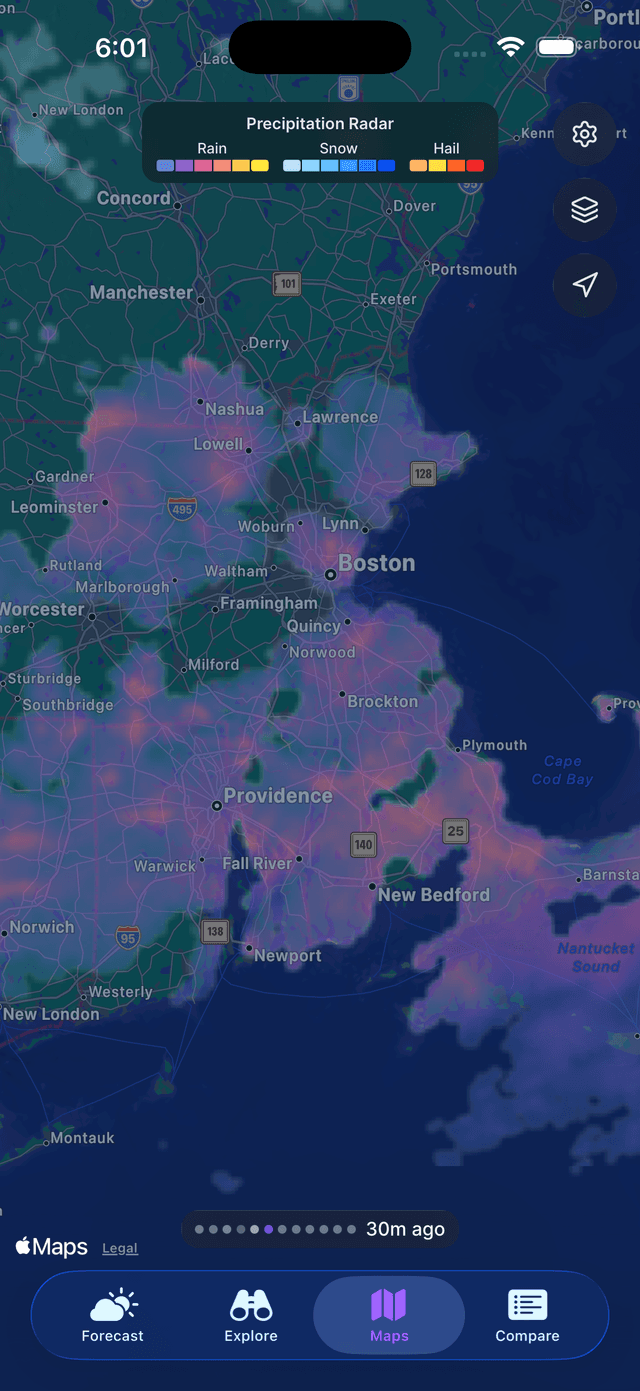
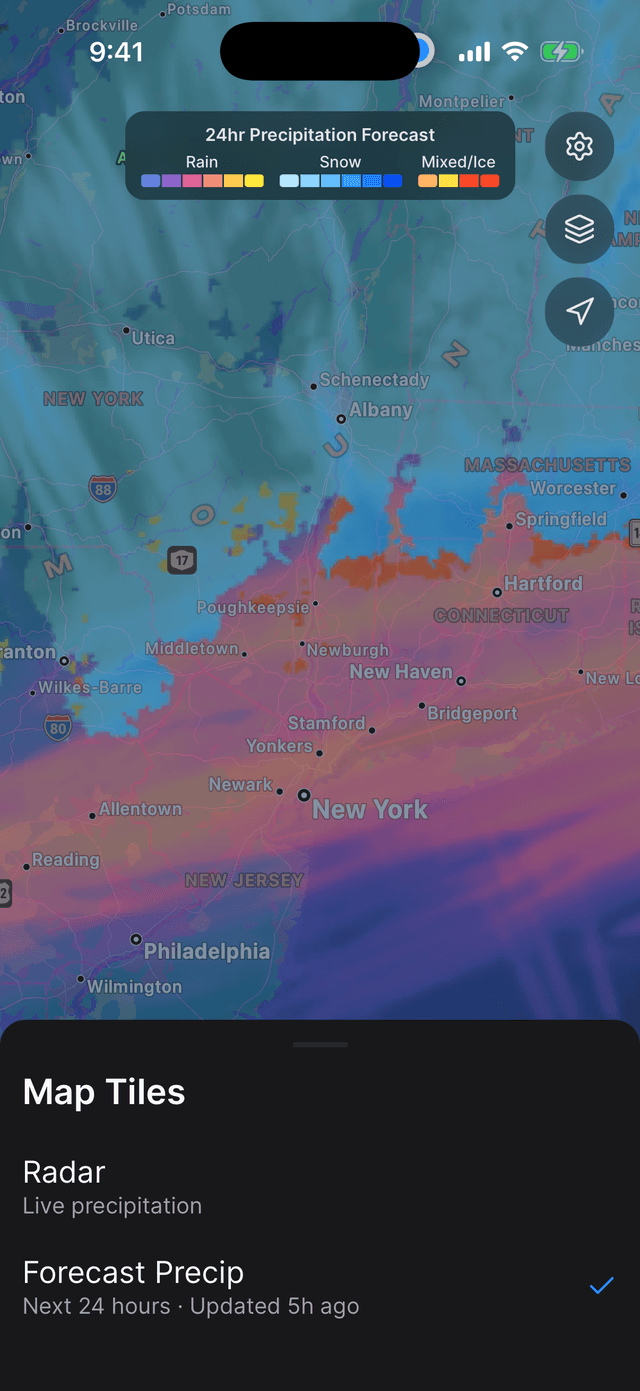
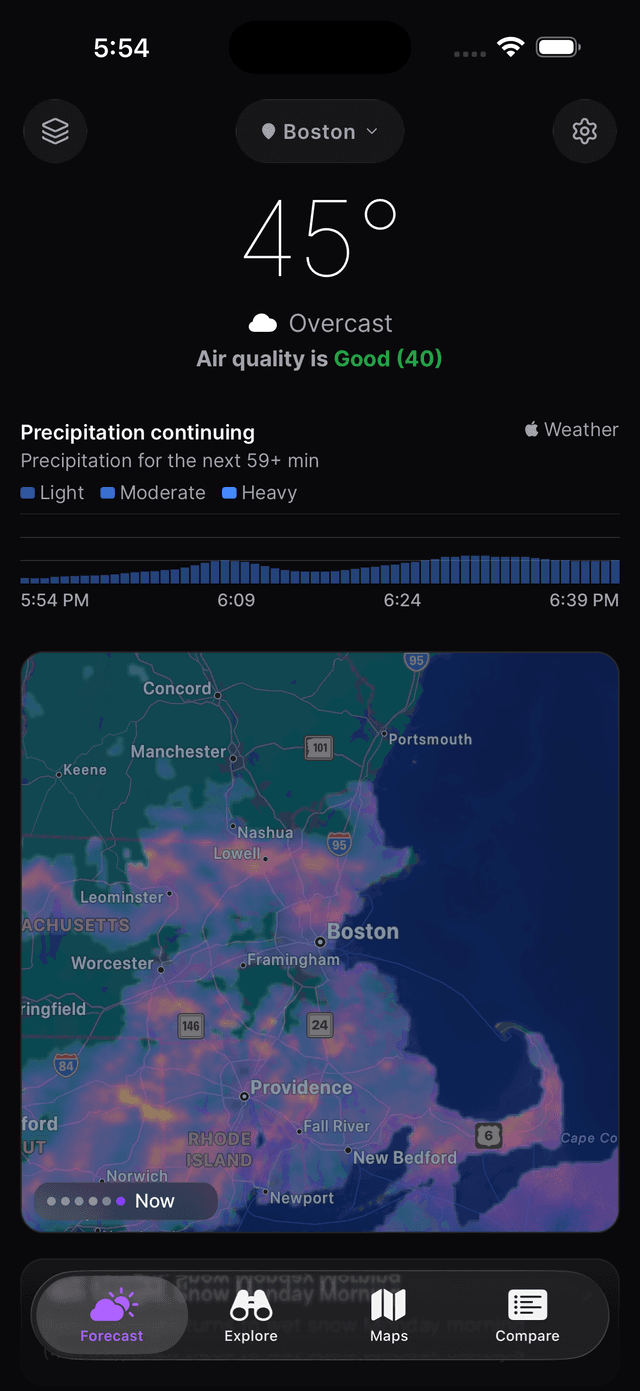
Animated radar with 2 hours of history and a 30-minute look ahead, updated every 5 minutes. A 24-hour precipitation forecast map shows where rain, snow, and mixed conditions are headed next.
Minute-by-minute nowcasting shows when the rain will hit and how intense it'll be. Useful for the 15-minute window when decisions actually matter.
Plan for a specific day, then watch the forecast evolve
Pick any future date and track how the forecast changes as it gets closer. Uncertainty bars narrow as the date approaches, and AI-narrated updates explain why the prediction shifted.
Useful for weddings, trail runs, camping trips, or any plan worth tracking.

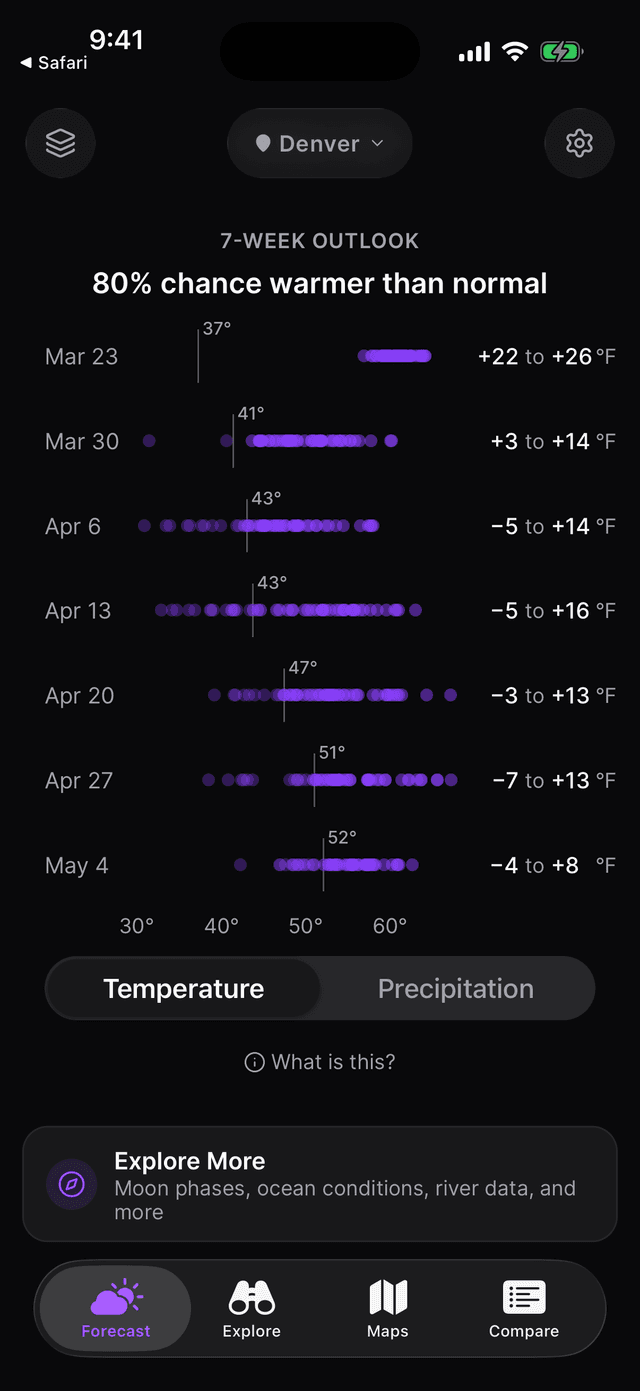
A 7-week outlook. No other weather app does this.
Most apps stop at 10 days. LucidSky shows a 7-week seasonal outlook against 30-year historical averages. See whether you're heading into a warm stretch or a cold one.
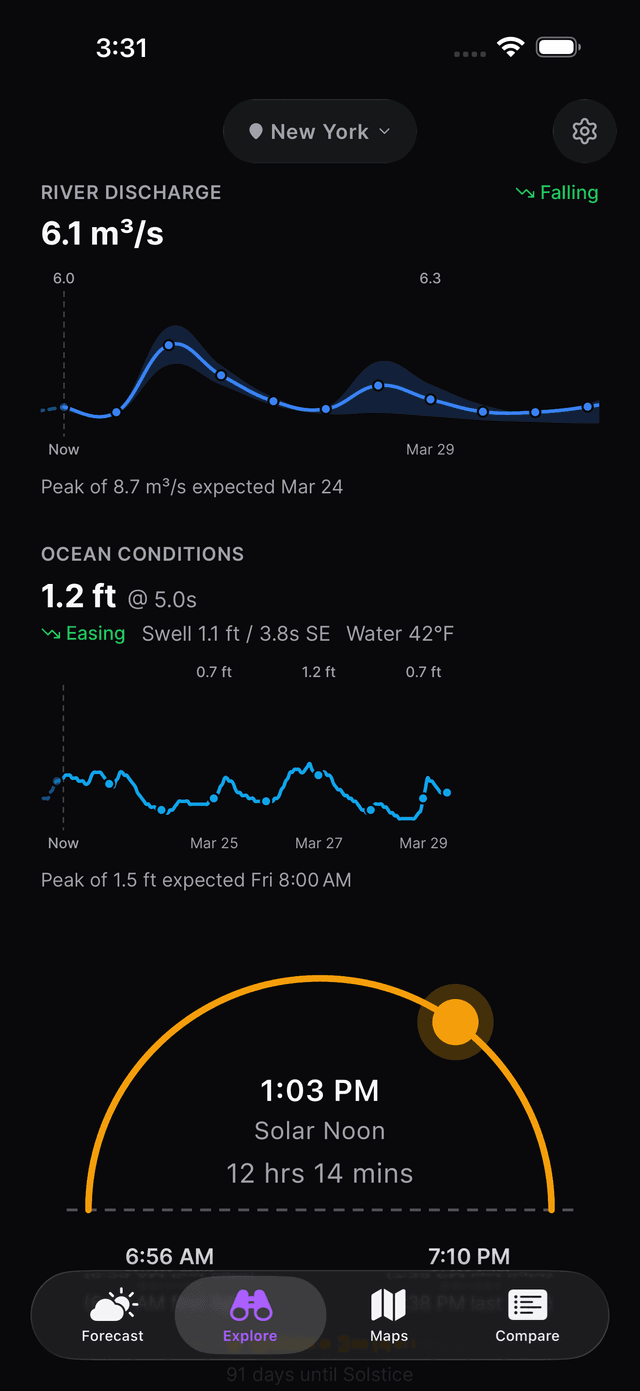
The Explore tab adds everything else most apps skip: moon phases and planet visibility, river discharge levels, ocean swells and tides, solar noon, air quality, and celestial events. Most weather apps ignore all of it.
iPad and accessibility, done properly
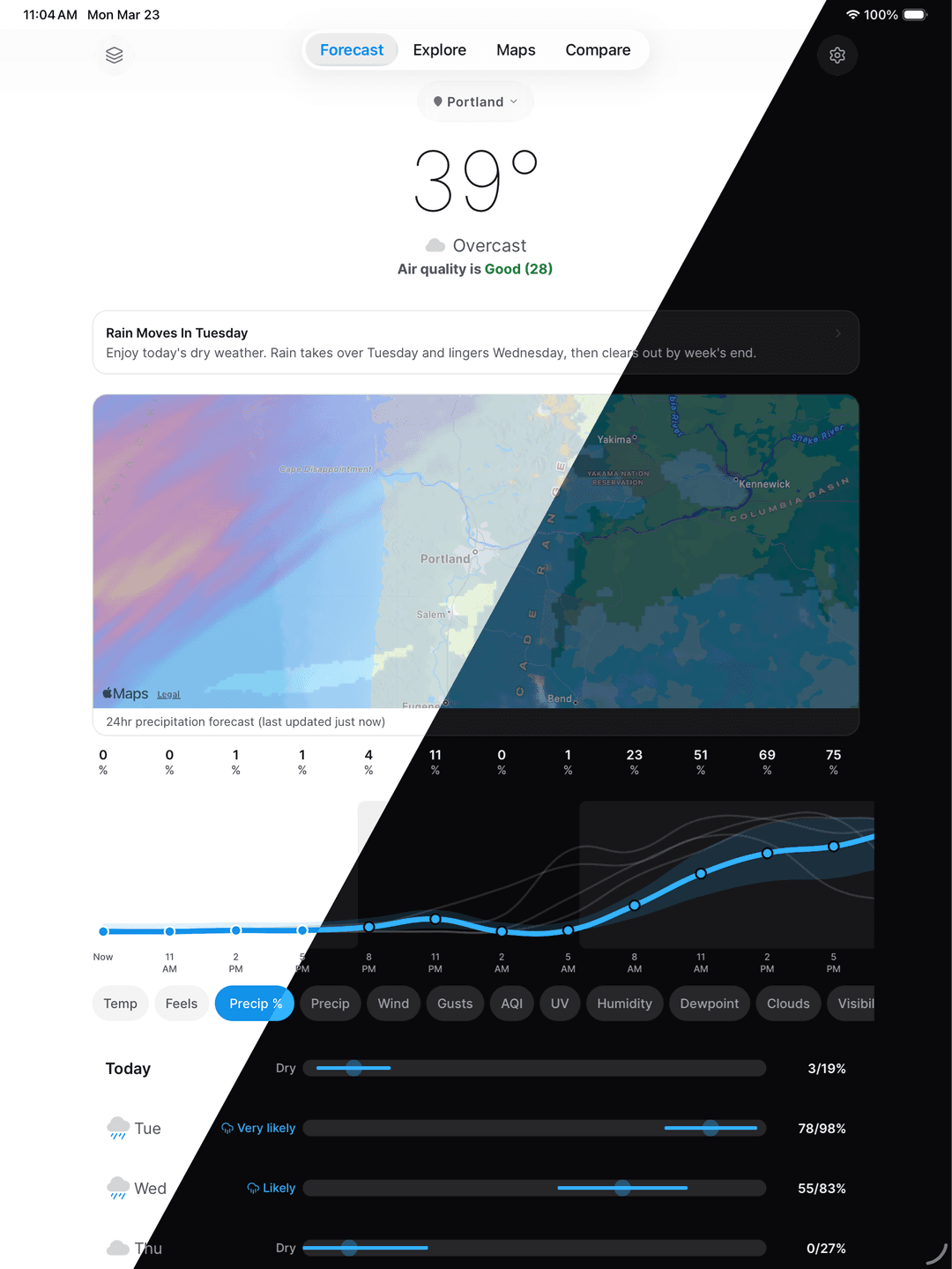
iPad gets a real layout, not a stretched phone screen. Dynamic Type scales every text element with the user's accessibility settings. Light and dark modes both feel intentional.
Outcomes
Stay tuned
LucidSky just launched. Check back here for results as they come in.
Learnings
What building this taught me
User-oriented
Technical
Built with Claude Code
10 custom skills for shipping and maintaining a production app
Each skill is a reusable Claude Code command I wrote to automate quality checks, testing, compliance, and releases.
/a11y-audit
Scan UI for accessibility violations and auto-fix across mobile and web
/app-store-audit
Full audit against all 9 categories of Apple App Store Review Guidelines
/app-store-pr
Quick pre-merge check of PR changes against App Store guidelines
/arch-audit
Detect duplicated logic, shared-first violations, and architecture drift
/e2e
Run Maestro end-to-end tests on the mobile app
/gen-tests
Auto-generate Vitest/Jest test suites for specified files
/legal-audit
Audit privacy policy, ToS, and credits pages against implementation
/pre-flight
Quick review of all changes on current branch across 7 categories
/release-notes
Generate App Store release notes and copy from changes since last release
/screenshots
Automated App Store screenshot capture via Maestro
Architecture
One API. Two apps.
A Turborepo monorepo with a shared TypeScript package keeps web and mobile in sync. A single Next.js API layer orchestrates weather data from multiple sources, translates NWS discussions with Claude AI, and proxies radar tiles through Cloudflare R2.
Want to see more?
Get in touch with me to see my in-depth case studies.